
Monitor student attention during online classes, track quiz behavior with tab-switching detection, automatically enforce engagement policies, and provide detailed progress insights to instructors.
Monitor student focus during online classroom sessions with tab-switching detection, activity tracking, and automatic enforcement of engagement policies.
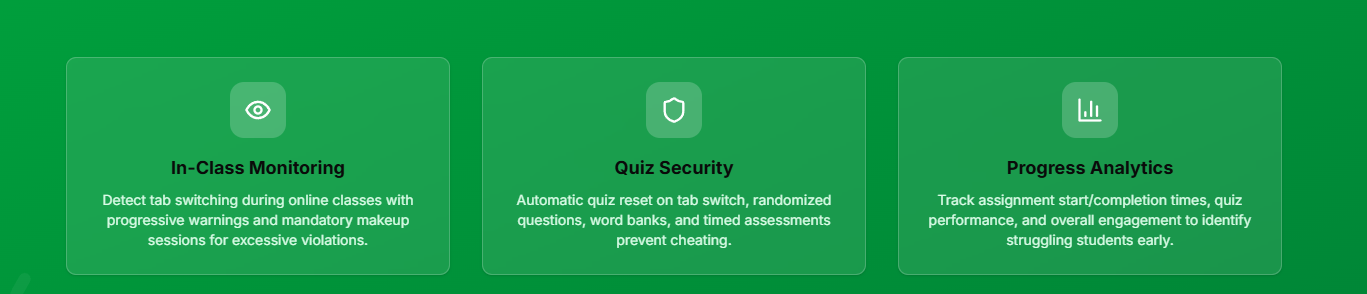
The system detects when students switch tabs or lose focus during online class sessions. Every tab-out event is logged with timestamps for instructor review.
Students receive warnings when they tab out during class. First offense: warning. Second offense: another warning. Excessive tab-outs trigger automatic consequences.
If a student tabs out excessively or fails to maintain attention, they're automatically required to complete a built-in makeup class with a watch-and-answer video module to ensure content mastery.
Makeup classes include interactive video content with embedded comprehension questions. Students must answer correctly to progress, ensuring they actually learn the material they missed.
Instructors see real-time engagement metrics for each student, including time spent on-screen, tab-out frequency, and attention scores to identify students who need extra support.
Classroom Session #3042 • 12 Students Active
Erick Torres
Student Torres
Johnny Larson
Attention Policy Active
Students with 5+ tab-outs will be automatically assigned makeup class module with video comprehension quiz.
Ensures students actually attend and pay attention to required online classroom hours, maintaining educational standards.
Students who are actively engaged during class perform better on tests and retain more information long-term.
Automated monitoring and enforcement means instructors don't have to manually police student attention during class.
Comprehensive quiz monitoring with tab-switching detection, automatic quiz resets, real-time instructor visibility, and anti-cheating measures built into every assessment.
Instructors see live student status during quizzes including completion progress, time spent, tab-out indicators ("Tabbed In" vs "Tabbed Out"), and activity timestamps.
If a student switches tabs or windows during a quiz, the assessment is automatically reset and they must start over. This prevents students from looking up answers during the exam.
Every quiz attempt presents questions in a different random order, making it nearly impossible for students to share answers or follow along with someone else's test.
Each quiz includes a word bank for fill-in-the-blank questions, ensuring students select from predefined answers rather than typing free-form responses that could be easily Googled.
Quizzes have strict time limits displayed at the top of the screen. Students see a countdown timer and must complete the assessment before time expires, reducing the opportunity to cheat.
Instructors see exactly when students start quizzes, when they finish, their progress percentage, and whether they've switched tabs, all updated in real-time during the assessment.
Students receive immediate feedback on their quiz performance, including their score, correct answers, and areas where they need improvement, helping them learn from their mistakes.
Track when students start assignments, monitor their progress, and receive notifications when assignments are completed, all in real-time from the instructor dashboard.
Instructors see exactly when each student begins an assignment, allowing them to monitor whether students are keeping up with the course schedule and starting work on time.
Instructors receive instant notifications when students complete assignments, enabling prompt grading and feedback without having to constantly check for new submissions.
Watch student progress in real-time as they work through assignments. See which questions they've completed and identify students who may be struggling before they submit.
Track how long students spend on each assignment. Identify assignments that may be too difficult or students who rush through work without proper attention.
Automatic notifications for assignments that haven't been started by the due date. Follow up with students who are falling behind before it's too late.
Due: December 15, 2025 • 28 Students Assigned
18
Completed
6
In Progress
4
Not Started
Erick Torres
Started: Dec 8, 2:30 PM • Completed: Dec 8, 3:15 PM
Student Torres
Started: Dec 8, 3:00 PM • 12/20 questions
Johnny Larson
Not started • Due in 7 days
Payment Test
Not started • Overdue by 2 days
Detailed analytics help instructors understand each student's learning patterns, identify struggling students early, and provide targeted support where it's needed most.
Track overall student engagement across classes, quizzes, and assignments
Identify improvement or decline patterns over time for early intervention
Automatic flagging of students who need additional support or attention
Monitor assignment and course completion to ensure students stay on track
Detailed analytics reveal which students need extra help, enabling instructors to provide personalized support before students fall too far behind.
Make informed decisions about curriculum pacing, lesson difficulty, and student grouping based on real performance data rather than guesswork.
Spot students who disengage early so instructors can intervene before assignments fall behind or makeup work piles up.
Comprehensive monitoring ensures students genuinely engage with course material, maintaining the value and credibility of your driver education program.
Class Overview • 28 Students
Most students on track
Compared to class baseline
26 students passed all quizzes
Johnny Larson
Low engagement (45%) • 2 failed quizzes
Student Torres
Multiple tab-outs • Makeup class required
Use engagement tracking to monitor class focus, quiz integrity, and assignment progress from the instructor dashboard.