
Product · Self paced learning
Students move through your curriculum on their own schedule while DriversEdPro keeps them honest. Leaving the tab pauses the lesson, looking away pauses seat time, and checkpoint questions confirm they are actually learning. Watch the student view below.
Self paced course · Module A
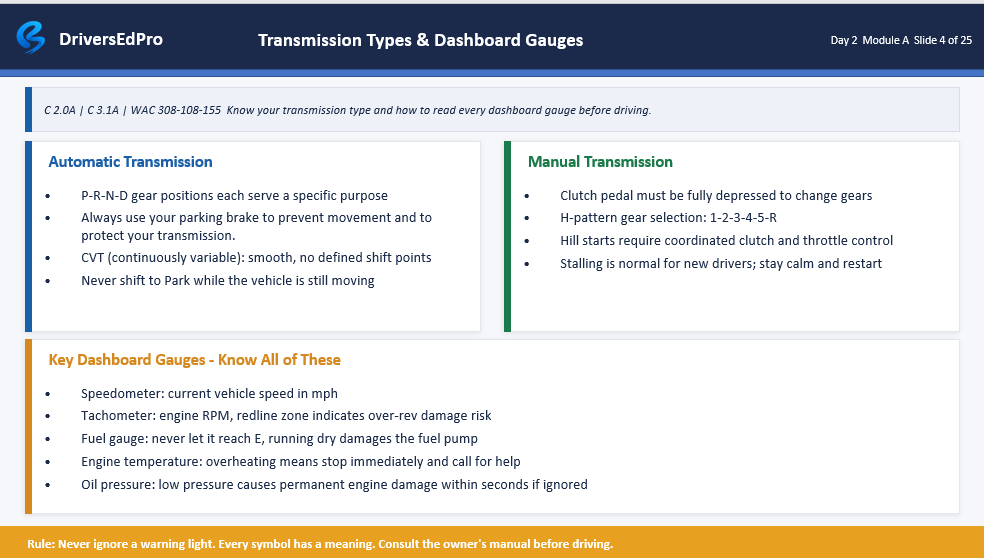
Student viewTransmission Types & Dashboard Gauges
Section 2 of 8
Your camera
AttentiveVerified seat time
14:12
AI monitoring
Monitoring events appear here during the demo
Watch a self paced course teach itself. The student tries to leave the tab, gets a checkpoint question, and every verified minute counts toward their hours.
This is what students see. The course teaches itself, the AI catches them leaving the tab or looking away, and the seat time counter only runs while they are present and watching.
How it works
Self paced courses fill the hours between live classes and drives, or replace classroom time entirely where your state allows it.
They log in from home, the library, or their phone and pick up exactly where they left off. No class times, no waiting for the next cohort.
Your curriculum plays section by section with timers, checkpoint questions, and progress gates. Nobody skips ahead and nobody games the clock.
Leaving the tab pauses the lesson. Looking away pauses seat time. What reaches your state report is time a student actually spent learning.
Verified seat time
An open browser tab is not proof a student was learning. DriversEdPro pauses the lesson when students leave, pauses seat time when they look away, and asks checkpoint questions mid section so the hours on your reports match time that actually happened.
From a real course log
8:14 PM · Lesson paused
Student left the course tab during Section 3. Warning 1 of 3 logged, seat time stopped.
8:16 PM · Checkpoint passed
Mid section question answered correctly on the first try. Lesson resumed.
8:42 PM · Section complete
26 verified minutes added toward the 30 hour requirement. 4h 20m remaining.
Availability
Only for driving schools in the states below, including Washington.
How schools use it
Start with the hours that are hardest to staff, then expand once verified seat time is proven.
01
Assign modules for nights and weekends so students keep moving when your classroom is closed, without hiring another instructor to babysit the hours.
02
Rural families, busy teens, and adult learners can finish theory at home while you still collect verified seat time and quiz scores on the same student record.
03
Self paced covers the book work. Your calendar still schedules behind the wheel lessons, so theory progress and drive readiness stay in one place.
Visibility
Self paced only works if staff and families can follow progress without opening a separate tool. DriversEdPro keeps that view inside the same student record.
Open a class roster and see which module each student is on, how many quiz attempts they used, and where seat time paused. Help the students who need it without guessing.
Families can follow completed hours, quiz results, and remaining modules without calling the front desk. Fewer status questions for your staff.
Every verified minute, pause, warning, and resume is timestamped. When a state auditor or parent asks how the hours were earned, you already have the answer.
What is built in
The teaching, the proof, and the paper trail. You set the rules once and the course enforces them for every student.
The same slides, videos, and materials you teach in class, organized into sections students complete on their own schedule.
Switching tabs pauses the lesson and logs a warning. Eyes off the screen pause seat time. Students learn fast that the course is watching.
Pop up questions appear mid section and must be answered before the lesson continues. Wrong answers route students back to review.
Only verified, attentive minutes count toward state hour requirements. Pauses, warnings, and resumes are all timestamped.
Passing scores and completed hours unlock the next module. Retakes follow the limits you set, automatically.
Hours done, tests passed, drives completed. The certificate generates itself and the student record is audit ready.
Questions
What schools ask before adding a self paced option.
Students work through your curriculum section by section on their own schedule. Each section has timers, checkpoint questions, and attention monitoring, and progress gates stop anyone from skipping ahead. Completed, verified time counts toward their required hours.
Self paced learning is available for driving schools in California, Idaho, Indiana, Maine, Nevada, Ohio, Pennsylvania, Texas, and Washington. Availability can expand as state rules and school demand allow.
Leaving the course tab pauses the lesson and logs a warning. Looking away from the screen pauses seat time. Checkpoint questions appear mid section and must be answered before the lesson continues. Every pause and warning is timestamped on the student record.
Yes. Only verified, attentive minutes count, which is exactly why they hold up. Reports show when each minute was earned along with any warnings, so schools can stand behind their numbers.
Yes. Many schools run self paced theory alongside live classes and behind the wheel lessons. One student record tracks hours, quiz scores, warnings, and drives across all of it.
Yes. Attention monitoring, tab locks, warning limits, and checkpoint frequency are all settings. Schools that want a lighter touch can relax them, and schools in strict states can tighten them.
